Translator keyboard for iPhone
Translate without leaving the chat.
Type in your language, tap Translate and send it in theirs. Copy a reply to read it in yours. No translator app, no copying back and forth: Globy works in WhatsApp, Telegram, Messages and every other app you chat in.
Free to start
Why a keyboard
Four steps become one tap.
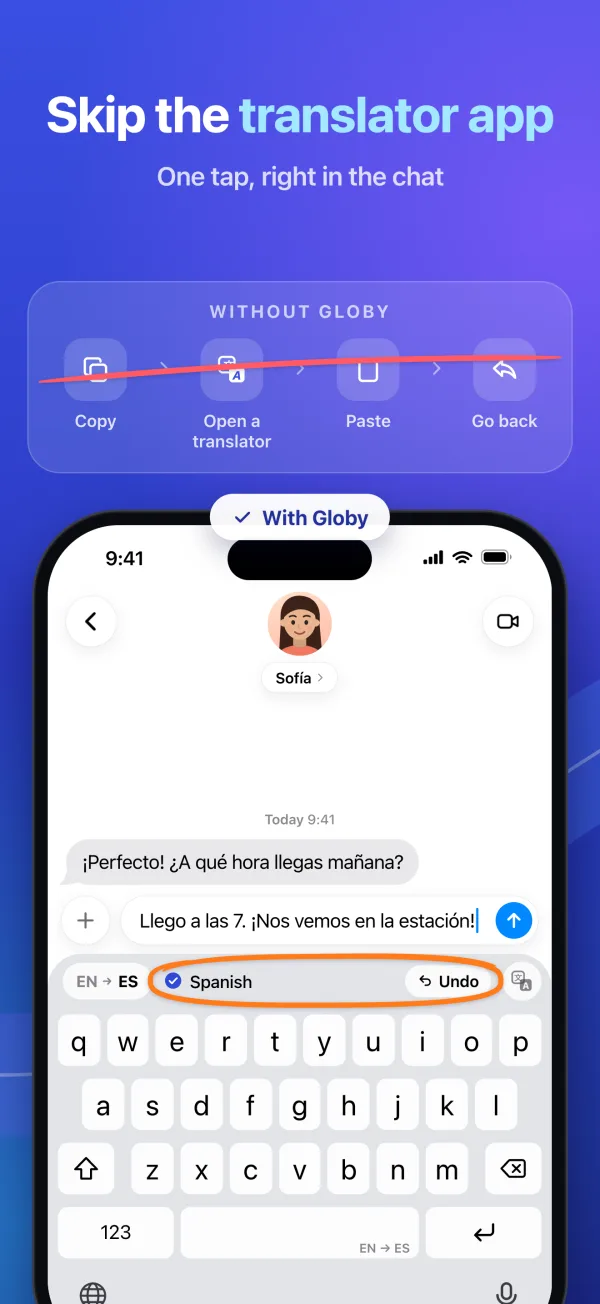
Without Globy
Copy your message, translate it in another app, paste the result and go back to the chat. Then again for the reply. For every message.
With Globy
One tap on Translate and the text in the field is in Spanish, ready to send. Undo brings your words back.
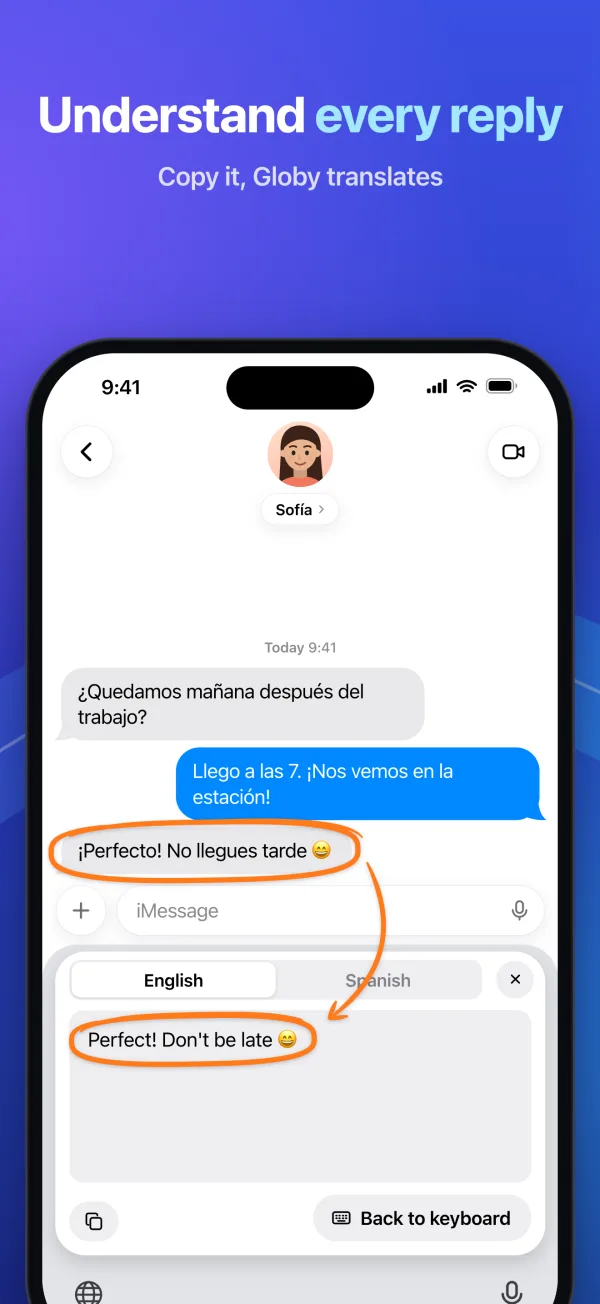
Got a reply? Copy it and tap Paste to read it in yours.
Features
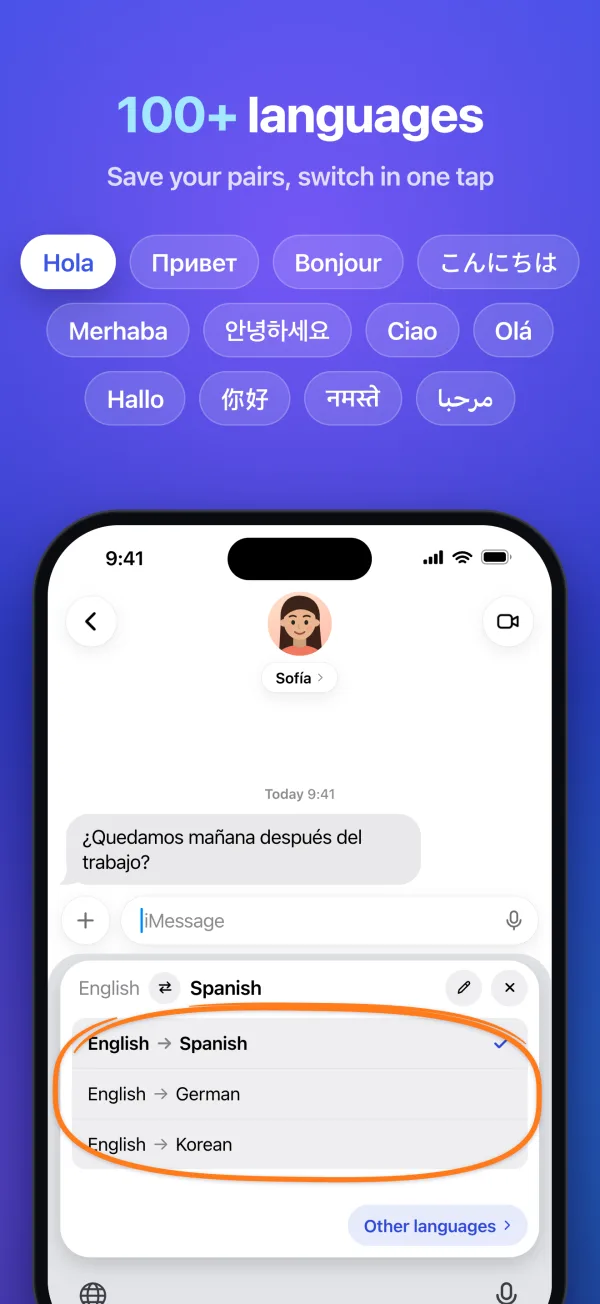
Write to anyone, in 113 languages.
Translate what you send, read what you get, and switch between the pairs you use. All from the keyboard you already type on.
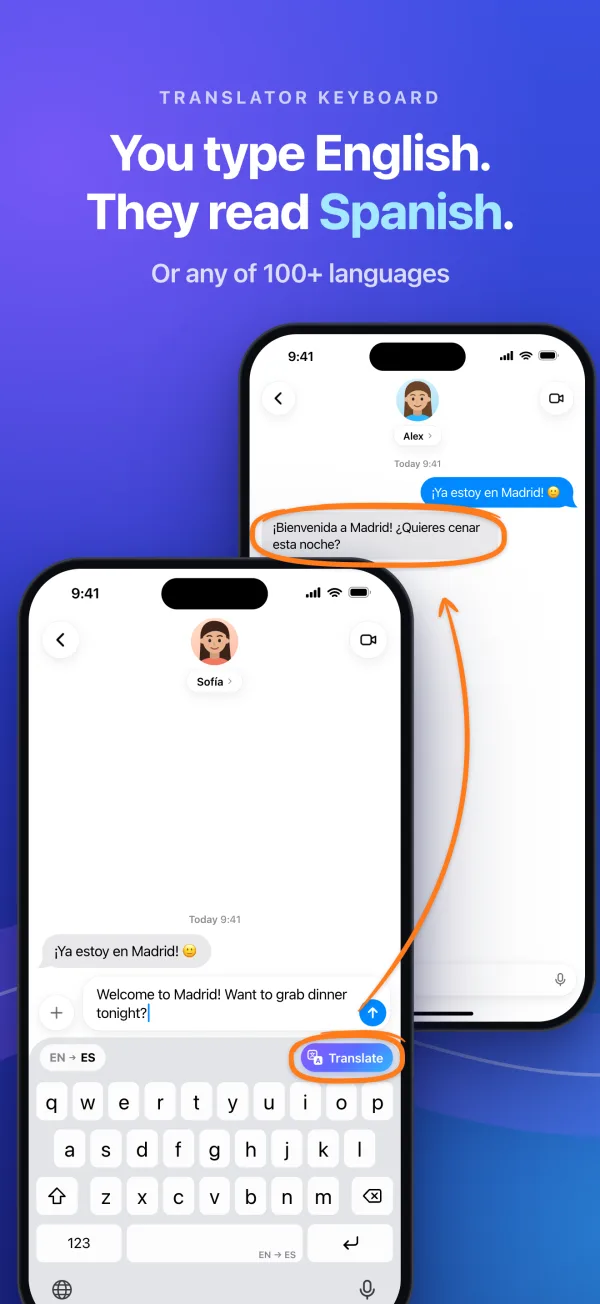
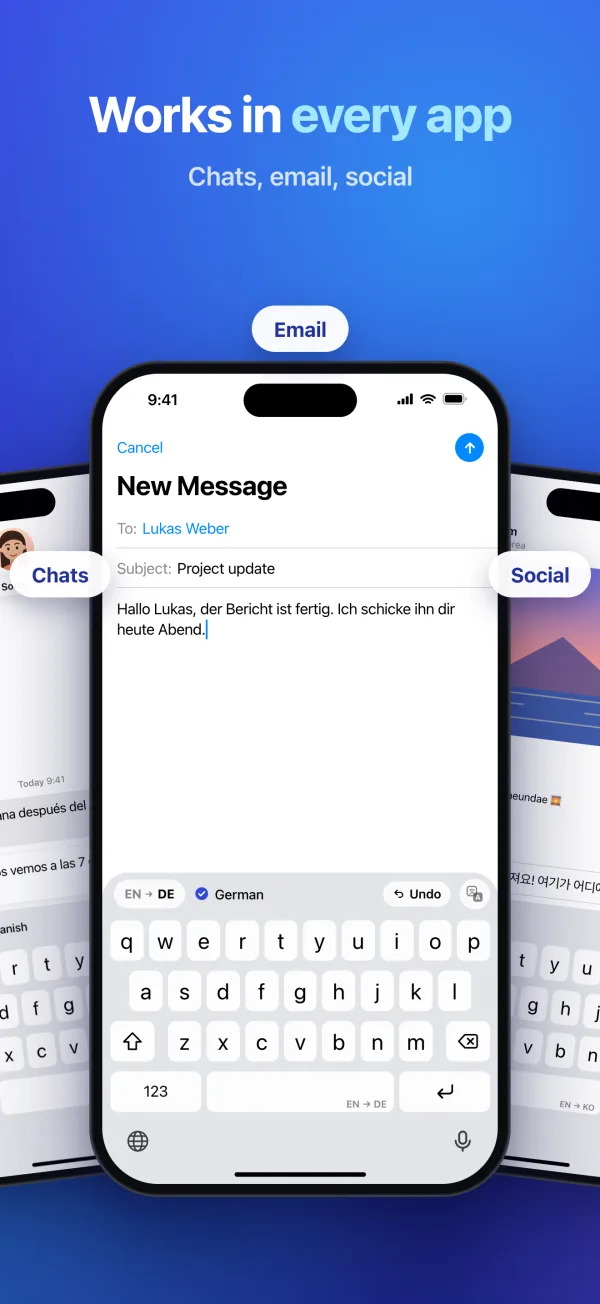
- Translate before you send
- Type in your language and tap Translate. The text in the field turns into theirs, ready to send. Undo puts your words back.
- Read every reply
- Copy a message and the keyboard offers it in its top bar. Tap Paste to read it in your language, with the original one tap away.
- Switch languages in a tap
- Tap the pair in the top bar to see the ones you use, the last one first. Keep up to eight, from 113 languages.
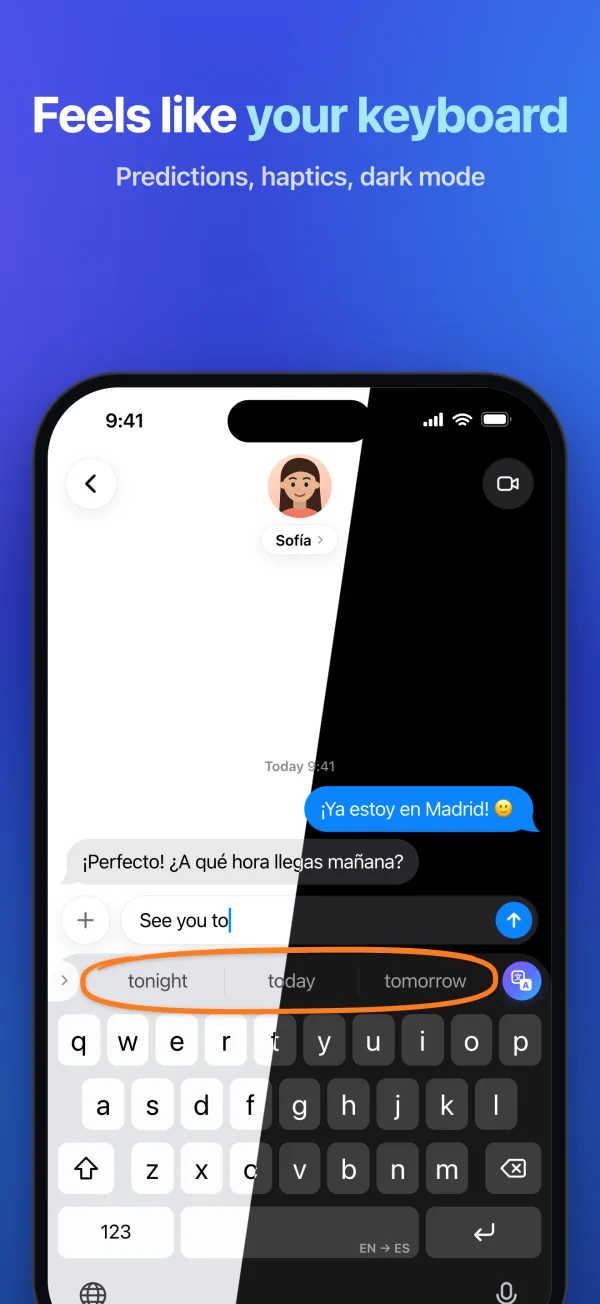
- Predictive text
- Suggestions in 47 languages, learned from how you type, on your iPhone only.
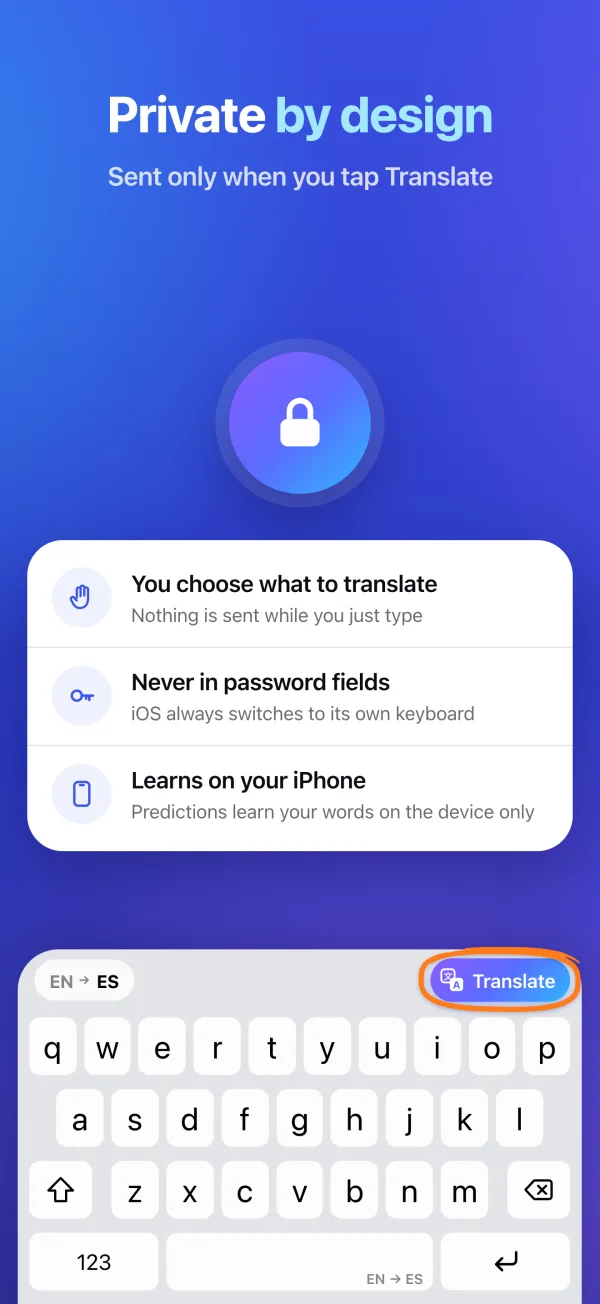
- Private by design
- Only the text you choose to translate leaves the keyboard. In password fields iOS always switches to its own.
- Feels like iOS
- Key sounds, haptics, dark mode and a layout for your language. The app speaks English, Spanish and 8 more.
Who it's for
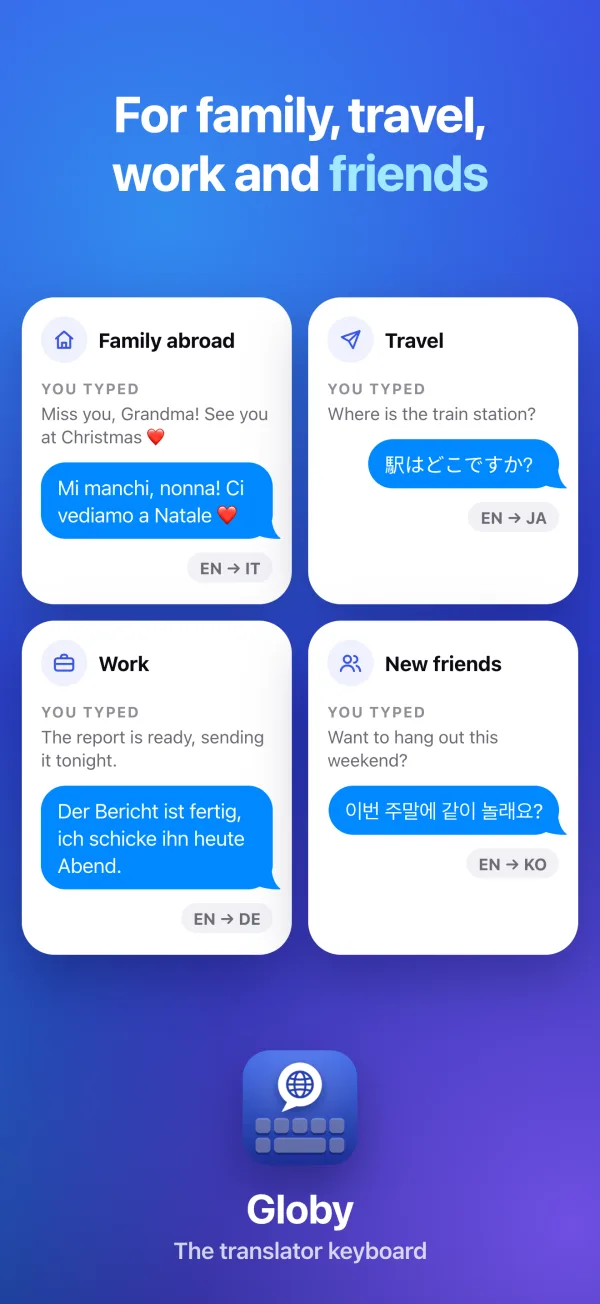
For family, travel, work and friends.
You write the way you always do. They read it in the language they think in.
YOU TYPEDMiss you, Grandma! See you at Christmas ❤️
Mi manchi, nonna! Ci vediamo a Natale ❤️
EN → ITYOU TYPEDWhere is the train station?
駅はどこですか?
EN → JAYOU TYPEDThe report is ready, sending it tonight.
Der Bericht ist fertig, ich schicke ihn heute Abend.
EN → DEYOU TYPEDWant to hang out this weekend?
이번 주말에 같이 놀래요?
EN → KOFAQ
Questions, answered.
Something else? Write to info@iltpv.com.
Which apps does Globy work in?+
Any app where you type: WhatsApp, Telegram, Messages, Instagram, Mail and the rest. Globy is a keyboard, so it comes up wherever the iPhone's own keyboard would. In password fields iOS always switches to its own keyboard.
Why does it ask for Full Access?+
Translation happens online, and iOS lets a keyboard go online only with Full Access. Only the text you choose to translate is sent. Without it, the keys still type; they just can't translate.
How do I turn the keyboard on?+
Open Settings › General › Keyboard › Keyboards › Add New Keyboard, choose Globy, then turn on Allow Full Access. In any app, press and hold the globe key under the keyboard and choose Globy. The app walks you through each step.
Is it free?+
Globy is free to download and try. Globy Premium gives you unlimited translations. Prices are shown in the app.
Does Globy keep what I type?+
Predictive text learns your words on the iPhone, and nowhere else. It learns nothing in fields for logins, codes, numbers or addresses. You can reset what it has learned in Settings at any time.
Does it work offline?+
The keys and predictions work offline. Translating needs an internet connection.